
Help Guides
How to View Your Certificates
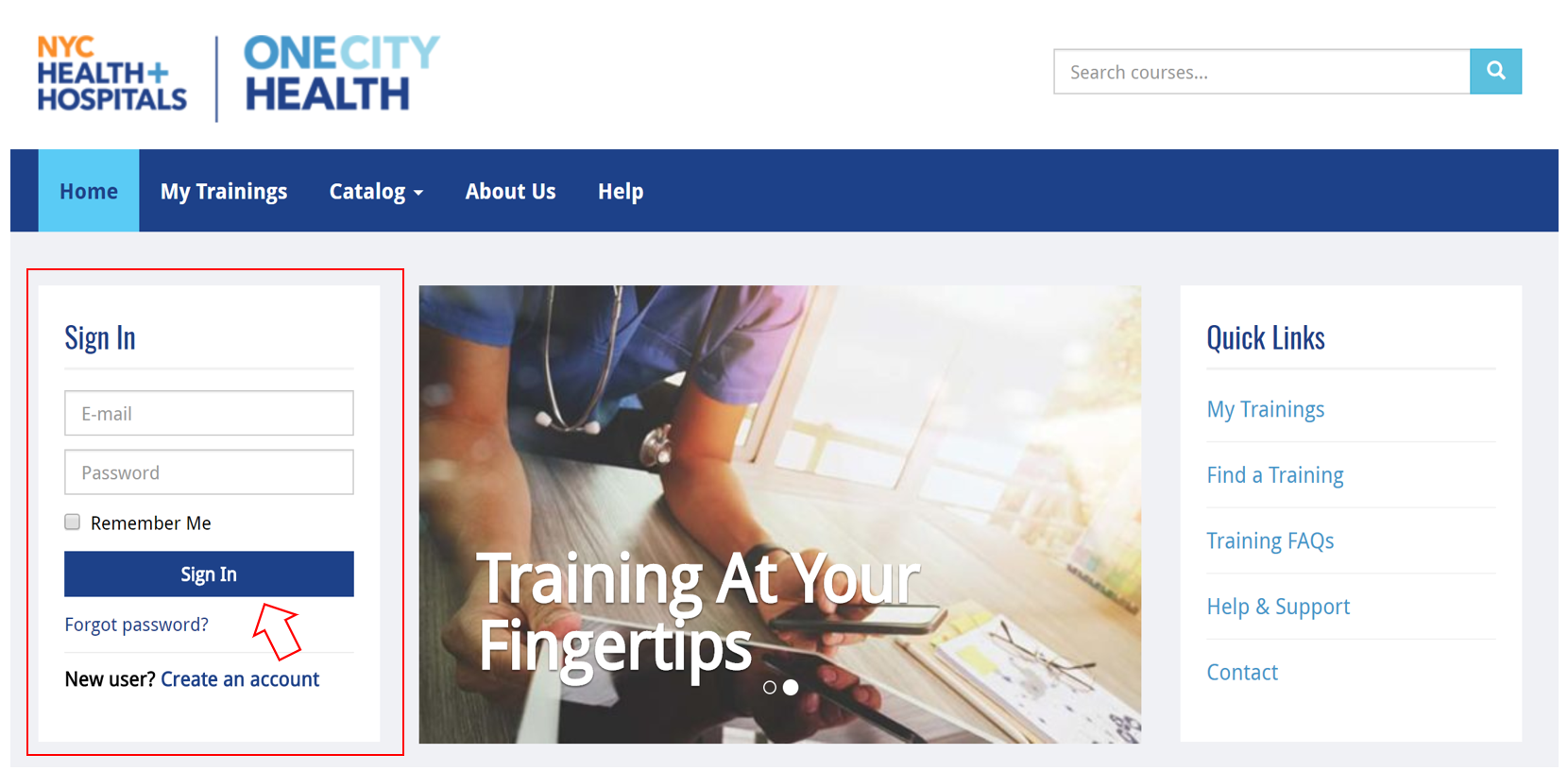
Step 1: Go to the OneCity Health LMS homepage: lms.onecityhealth.org
Step 2: On the left-hand side of the homepage, use the “Sign In” box to enter your email and password
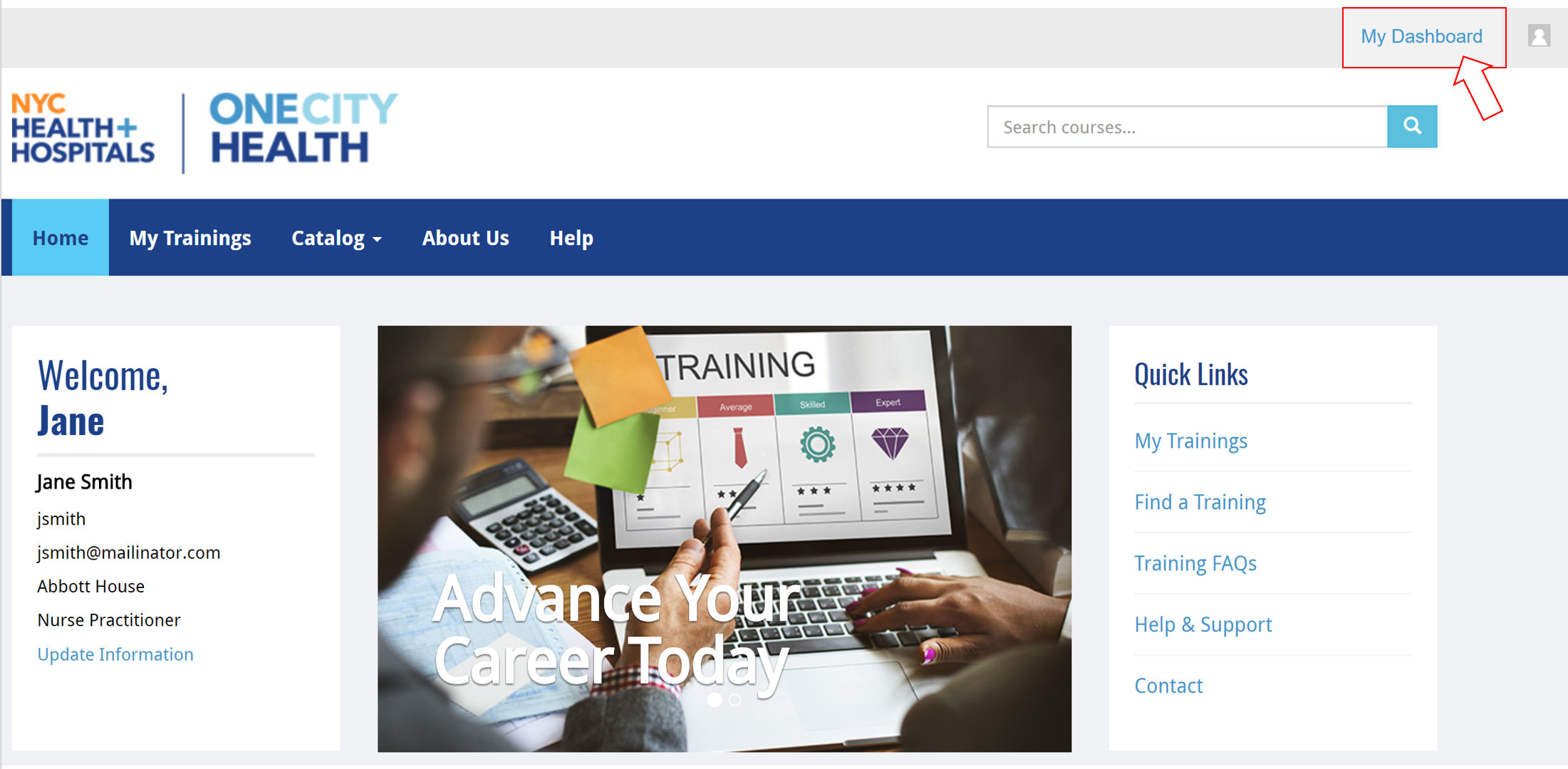
Step 3: Select “My Dashboard” in the upper right, next to gravatar icon
Step 4: On the left sidebar of the dashboard, select “Certificates”

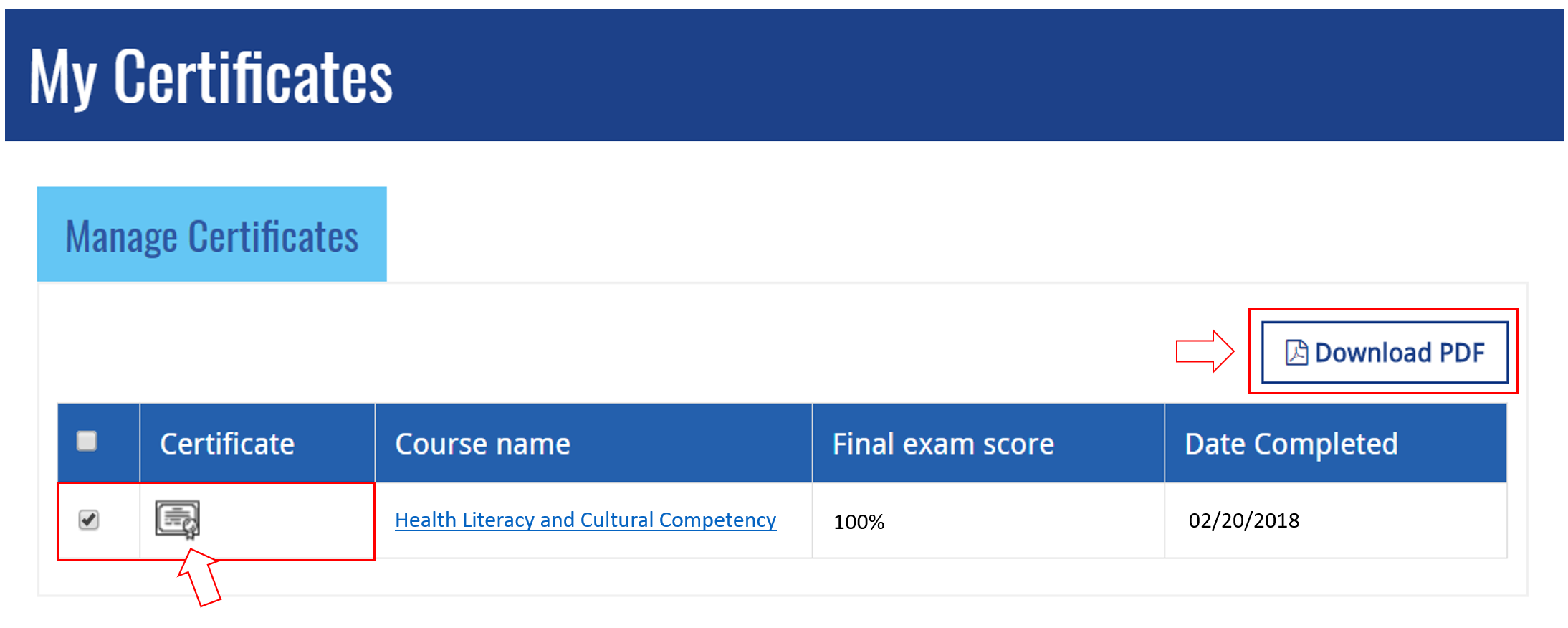
Step 5: Download your certificate by clicking on the certificate icon next to the course or by clicking the checkbox and selecting “Download PDF”
Still having issues? Contact HWapps at [email protected]