
Help Guides
How to Update Account Information
Option 1
Step 1: Go to the OneCity Health homepage: http://carecompasslms.hwapps.org/ and log in to your account
Step 2: In the Welcome section, on the left, select “Update Information”
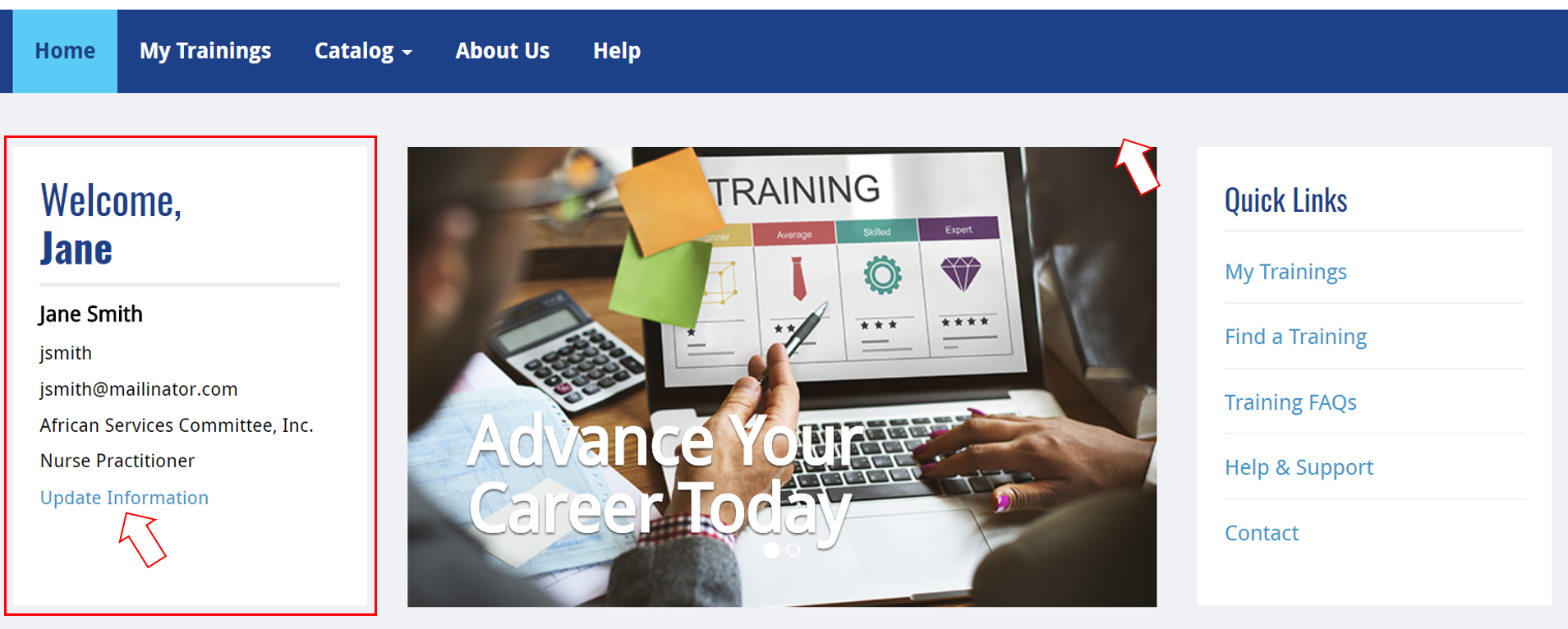
Step 3: Here, you will have the option to edit personal, employment, and account information

Option 2
Step 1: Go to the OneCity Health homepage here: http://carecompasslms.hwapps.org/ and log in to your account
Step 2: Select “My Dashboard” in the upper right, next to gravatar icon
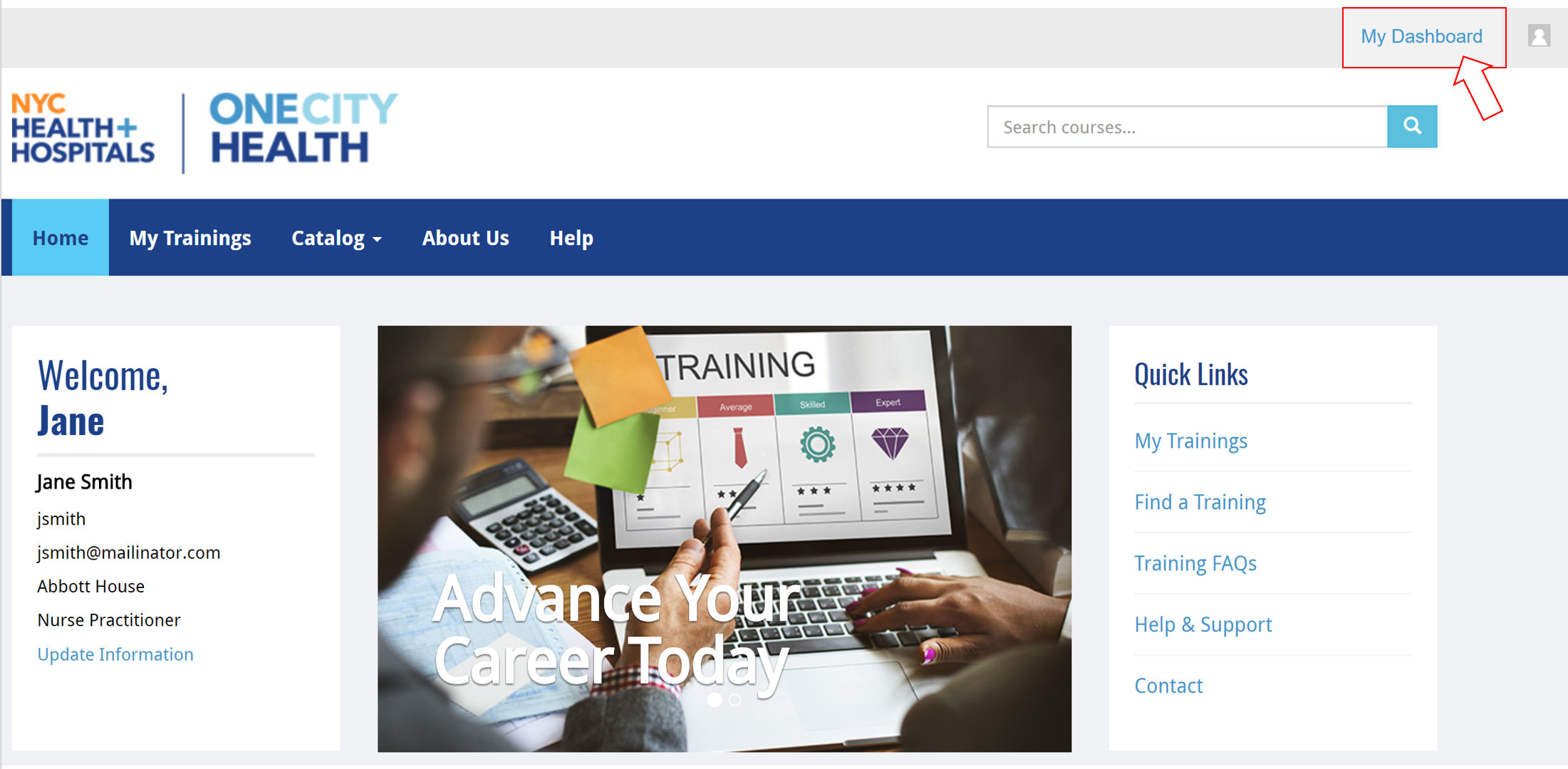
Step 3: On the left sidebar, select “Update Information”
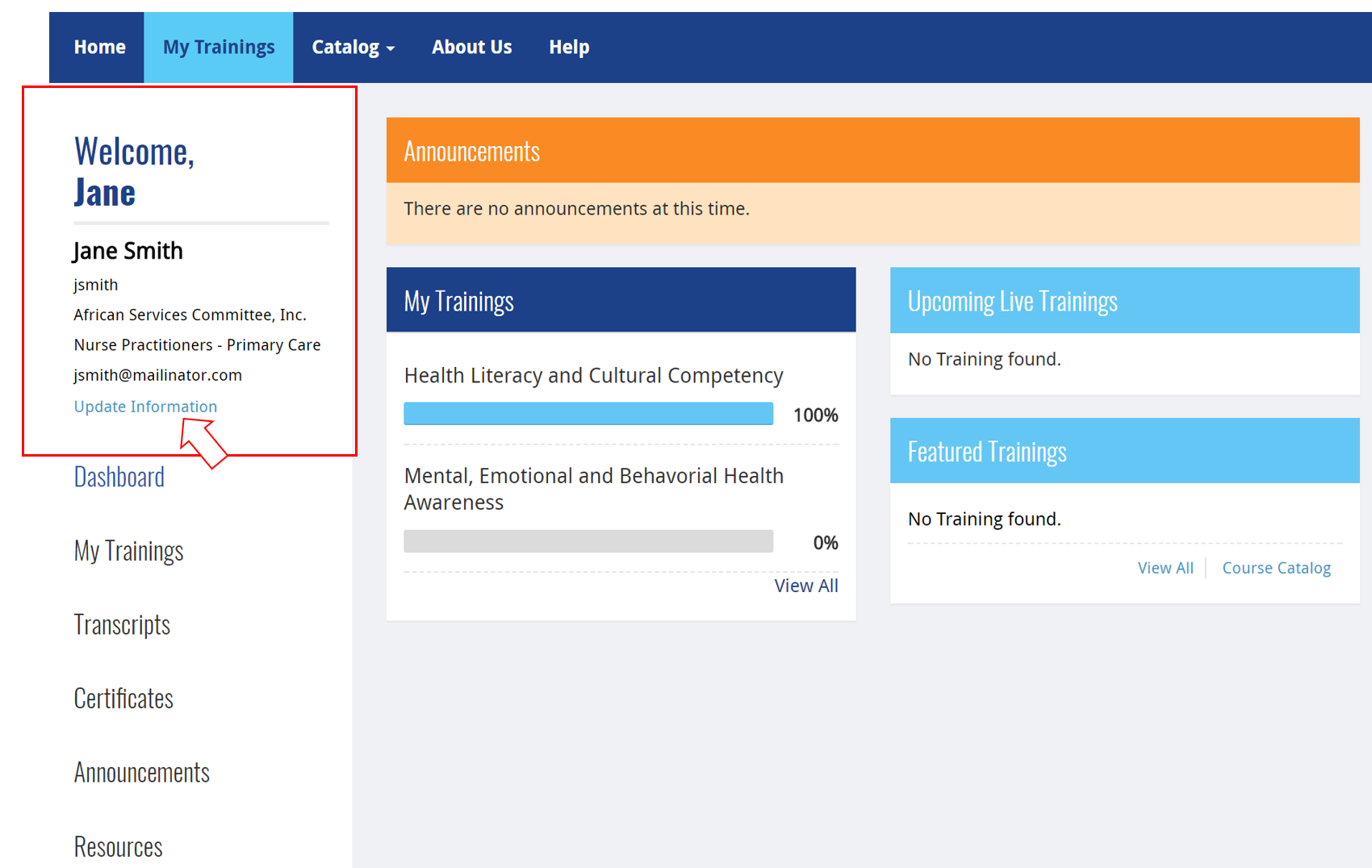
Step 4: Here, you will have the option to edit personal, employment, and account information
Still having issues? Contact HWapps at [email protected]